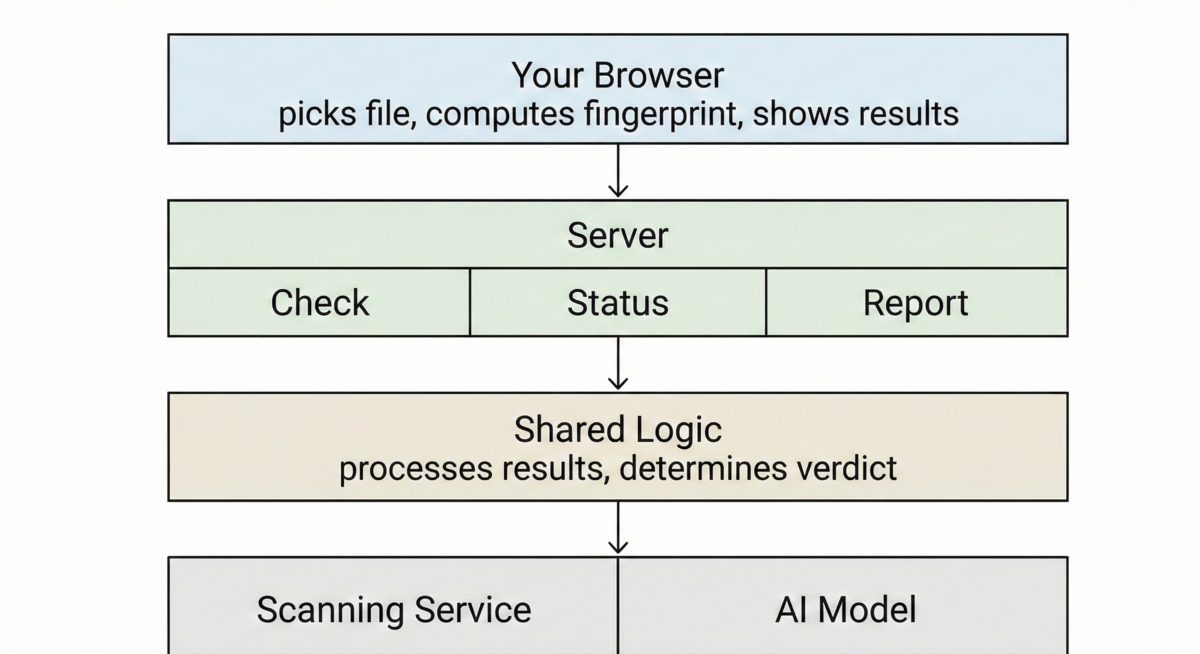
Check the Hash First
Most file scanners upload your file immediately and make you wait while it gets analyzed. This one works differently. Before anything reaches the server, the browser computes a SHA-256 fingerprint of the file. That fingerprint is a unique identifier derived from the file's contents
and if it's been seen before, the verdict comes back instantly.
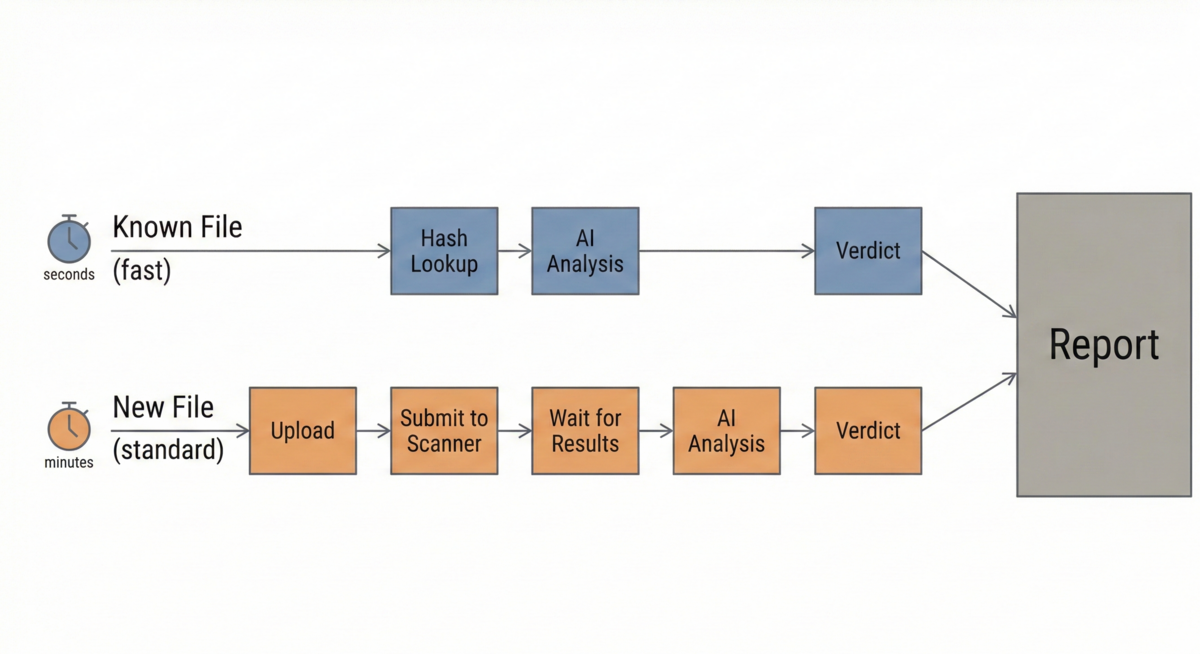
This matters because millions of files have already been scanned. Uploading them again wastes time and bandwidth. The hash lookup skips all of that. If the file is known, you get your answer in seconds.
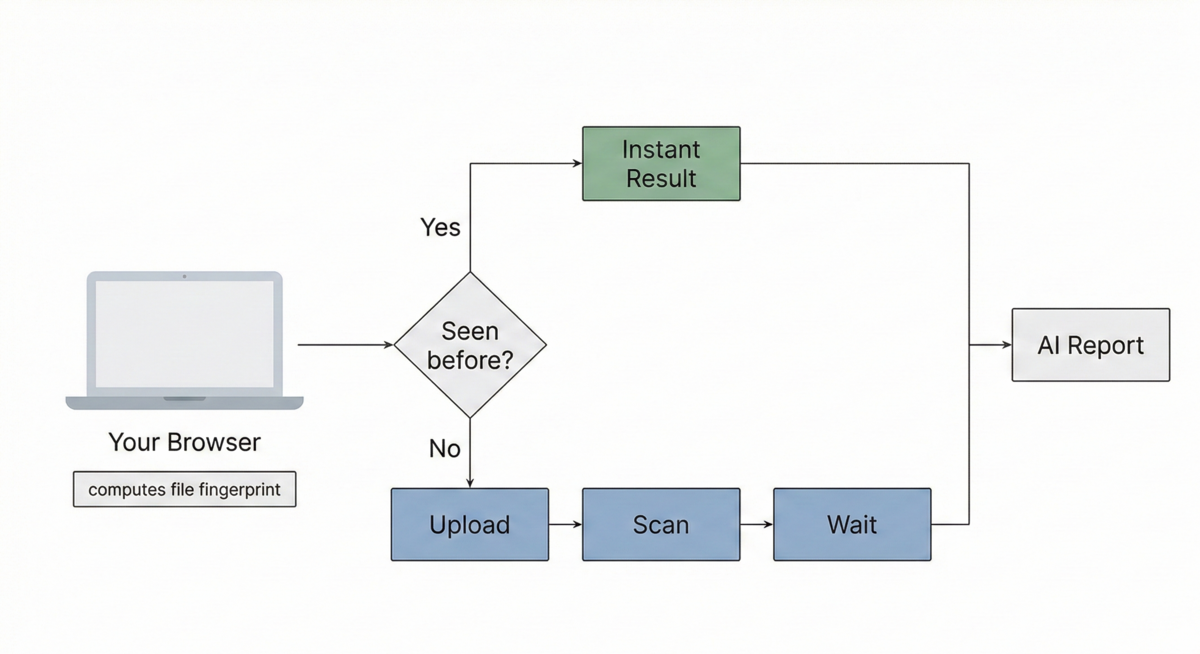
Two Paths to a Result
A known file takes the fast path. The application looks up the hash against a list of known malicious file has database provided by VirusTotal, gets the cached result, runs it through the AI layer, and sends back the verdict. No upload, no scan queue, no waiting.
An unknown file takes the longer route. They get submitted for further analysis. Only then does the AI layer run, turning raw scan data into a readable report.
Both paths produce the same output format. The only difference is speed.
What the Numbers Don't Tell You
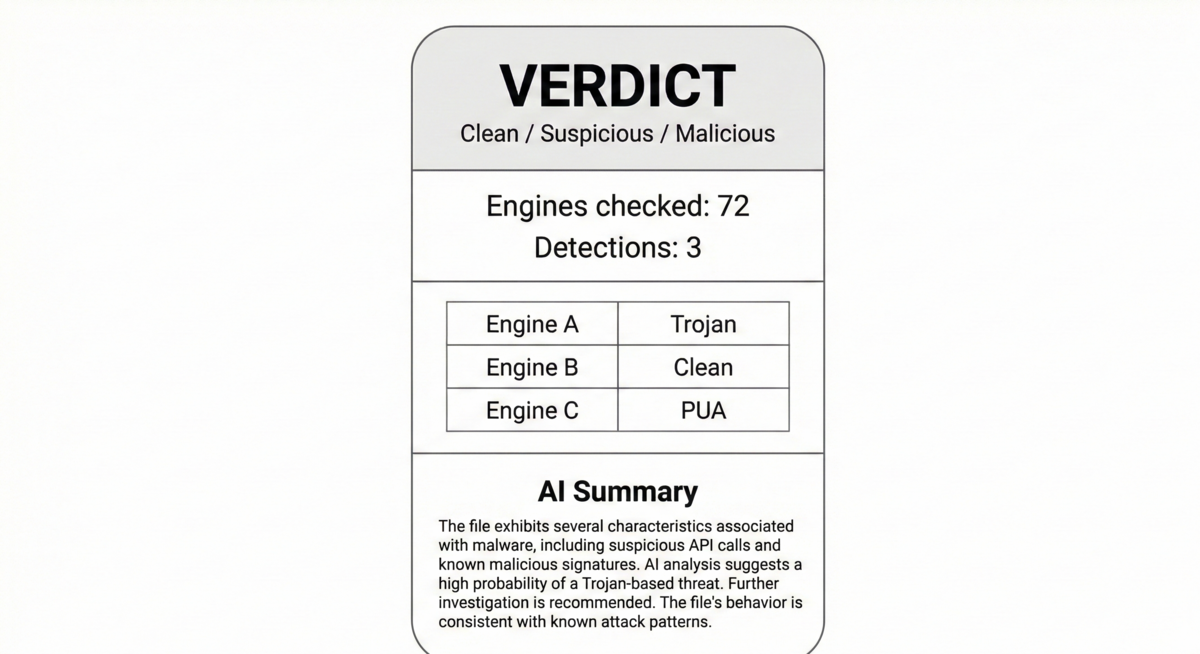
Raw scan output gives you a count, 72 engines checked, 3 flagged. But what does that mean? Is three out of seventy two alarming or routine? What kind of threat is it? What should you do about it?
The AI layer reads the full scan results and gives you a structured assessment. It classifies the threat type, explains what the detections suggest, and offers practical guidance. The AI doesn't replace the scanner. It interprets it.
What You Get Back
Every scan produces the same report structure regardless of which path it took. At the top is an overall verdict: clean, suspicious, or malicious. Below that, aggregate statistics show how many engines ran and how many detected something.
The AI assessment sits at the bottom, providing context for someone who needs to make a decision rather than just read numbers.
Practical Limits
Files are capped at 32 MB, which covers most executables, scripts, and documents but excludes large archives. The hash first approach helps conserve bandwidth and provide fair access for all users.
Your files are never stored on the application, this is by design. The data is ephemeral, not persistent, which ensures that user privacy is maintained.