The Port Problem
If you've ever tried running two or three self-hosted services on the same VPS, you've hit the wall pretty quickly. Only one process can bind to port 80 or 443 at a time, so what do you do with the rest?
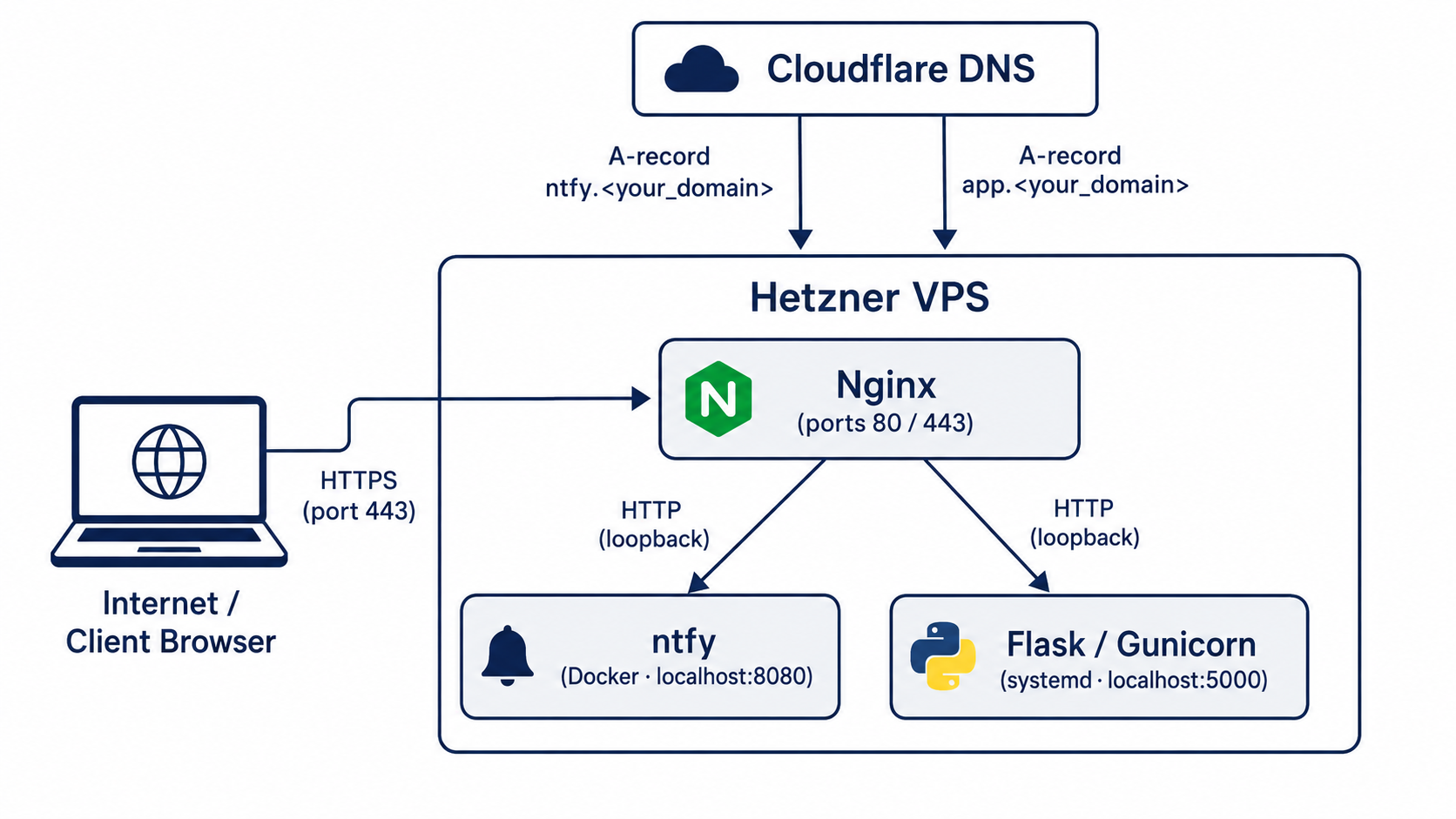
This is what Nginx is for, at least in this context. It sits on port 443, reads the hostname on every incoming request, and sends it to whichever app owns that subdomain. Multiple services, one machine, one public port.
The setup here gets you two apps on a single server, both over HTTPS. A push notification server running in Docker and a Python Flask API managed by systemd. Once that infrastructure is in place, adding a third or fourth service takes about five minutes.
Before You Install Anything
A clean server starts with a non-root user. Running everything as root is a bad habit, if the app is ever compromised, a dedicated account limits what an attacker can actually reach.
The firewall needs three rules before anything else goes in: SSH, port 80, and port 443. The critical thing is to allow SSH first, before enabling UFW. Skipping that step locks you out of the server immediately, there's no way to recover without console access.
Ubuntu ships with UFW disabled by default so there's nothing to break, you're configuring from a blank slate.
Apps That Live on Localhost
The key idea behind this whole setup is binding apps to 127.0.0.1 instead of 0.0.0.0. That one prefix means only processes on this machine can reach the app directly. Everything public-facing goes through Nginx.
The first app is ntfy, a self-hosted push notification server that runs in Docker. ntfy uses WebSockets for real-time delivery, which means the Nginx config needs a couple extra headers that a standard proxy block wouldn't have: HTTP/1.1 for the upstream connection, Upgrade and Connection headers, and extended timeouts so idle subscriber connections aren't dropped.
The second app is a Python Flask API served by Gunicorn and managed as a systemd service. The OS handles the process lifecycle entirely. If it crashes, systemd restarts it after five seconds. If the server reboots, it starts automatically.
Server Blocks
Nginx reads two directories under /etc/nginx. In sites-available you write one config file per app. In sites-enabled there are symlinks to the configs that are actually loaded. The workflow is: write in sites-available, symlink into sites-enabled to activate. To disable a service, delete the symlink and the config is still there for when you need it back.
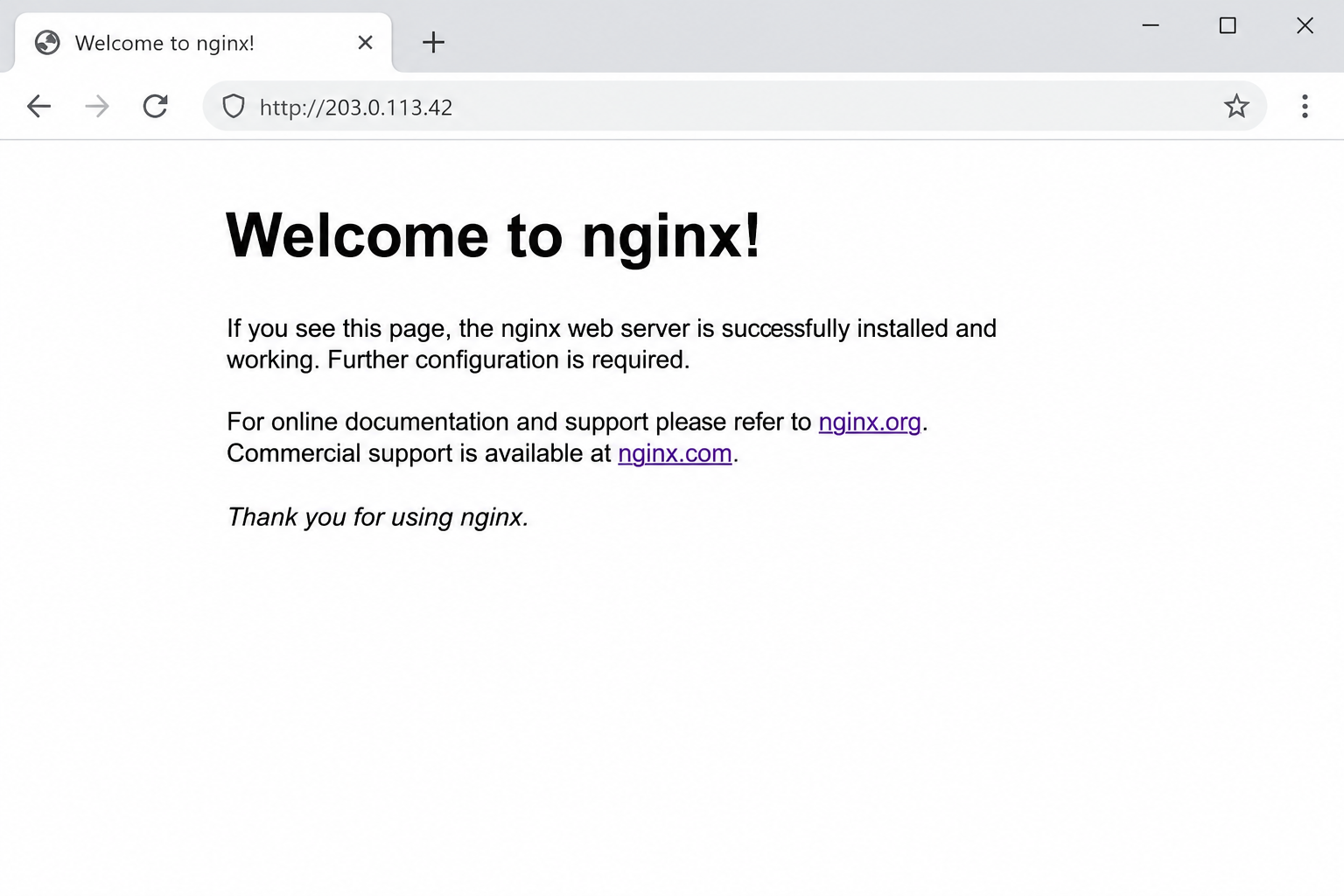
One thing that a lot of tutorials skip is removing the default server block before you run Certbot. Nginx ships with a catch-all that listens on port 80 for any hostname that doesn't match your own configs. If you leave it, it intercepts the Let's Encrypt HTTP domain verification challenge before your server blocks get a look in.
Before you point DNS anywhere, run sudo nginx -t. It checks every config file for syntax errors without reloading anything, which is how you catch typos before they cause an outage.
DNS Records and Free Certificates
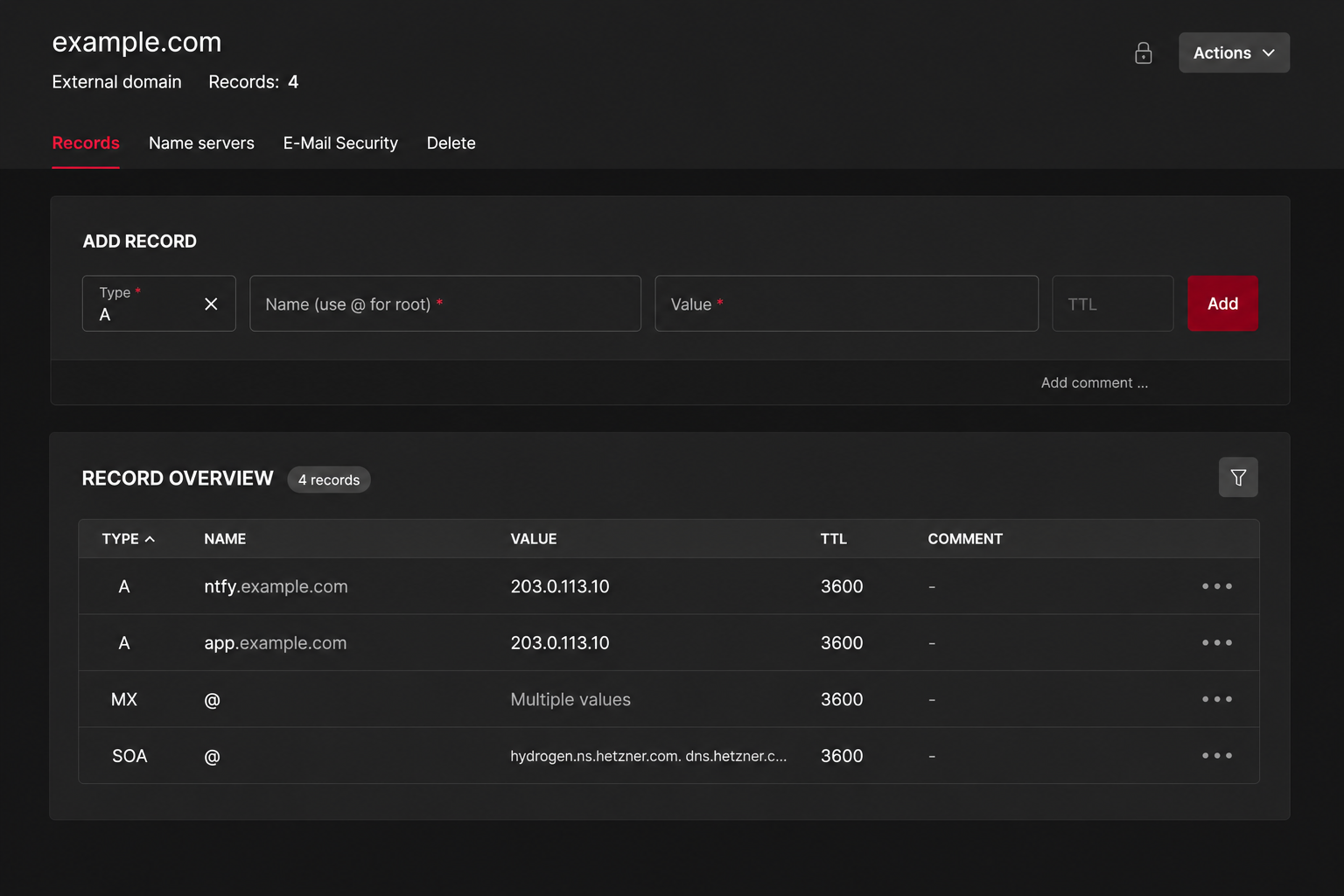
You need an A record for each subdomain pointing at your server's public IP. If you're using Cloudflare, set the proxy status to DNS only for now. The orange cloud proxy intercepts the Let's Encrypt HTTP challenge and the certificate request fails, you can switch it back on after SSL is working.
Certbot's --nginx plugin handles everything once DNS has propagated. It reads your existing server blocks, proves to Let's Encrypt that you control the domain, gets the certificate, and then modifies your Nginx config to enable HTTPS and redirect HTTP. All of that happens in one command per subdomain.
Let's Encrypt certificates expire after 90 days. Certbot installs a systemd timer that runs renewal checks twice a day. Run certbot renew --dry-run once after setup to confirm the full renewal flow works, it's better to find out now than when a certificate has actually expired.
The Reusable Pattern
Adding a third or fourth service is just repeating the same five steps. Bind the app to an unused localhost port, write a server block, enable it with a symlink, add a DNS A record, and run Certbot.
To find a free port before you start, sudo ss -tlnp | grep LISTEN shows everything currently listening on the machine. Pick a port that's not on the list.
Everything in this setup is plain text files. When something breaks, and something eventually will, the configs are exactly where you left them and sudo nginx -t usually tells you what's wrong straight away.