Hiding in Plain Sight
Every file on your computer is just a long list of numbers, each between 0 and 255. Every pixel in a PNG image stores four numbers in the same range: red, green, blue, and alpha. Obfuscate exploits this symmetry to hide any file inside an image.
The result looks like colorful static random noise to anyone who glances at it. But every dot is a piece of your original file, waiting to be recovered. No passwords, no encryption keys. Just bytes wearing a disguise.
Bytes Become Pixels
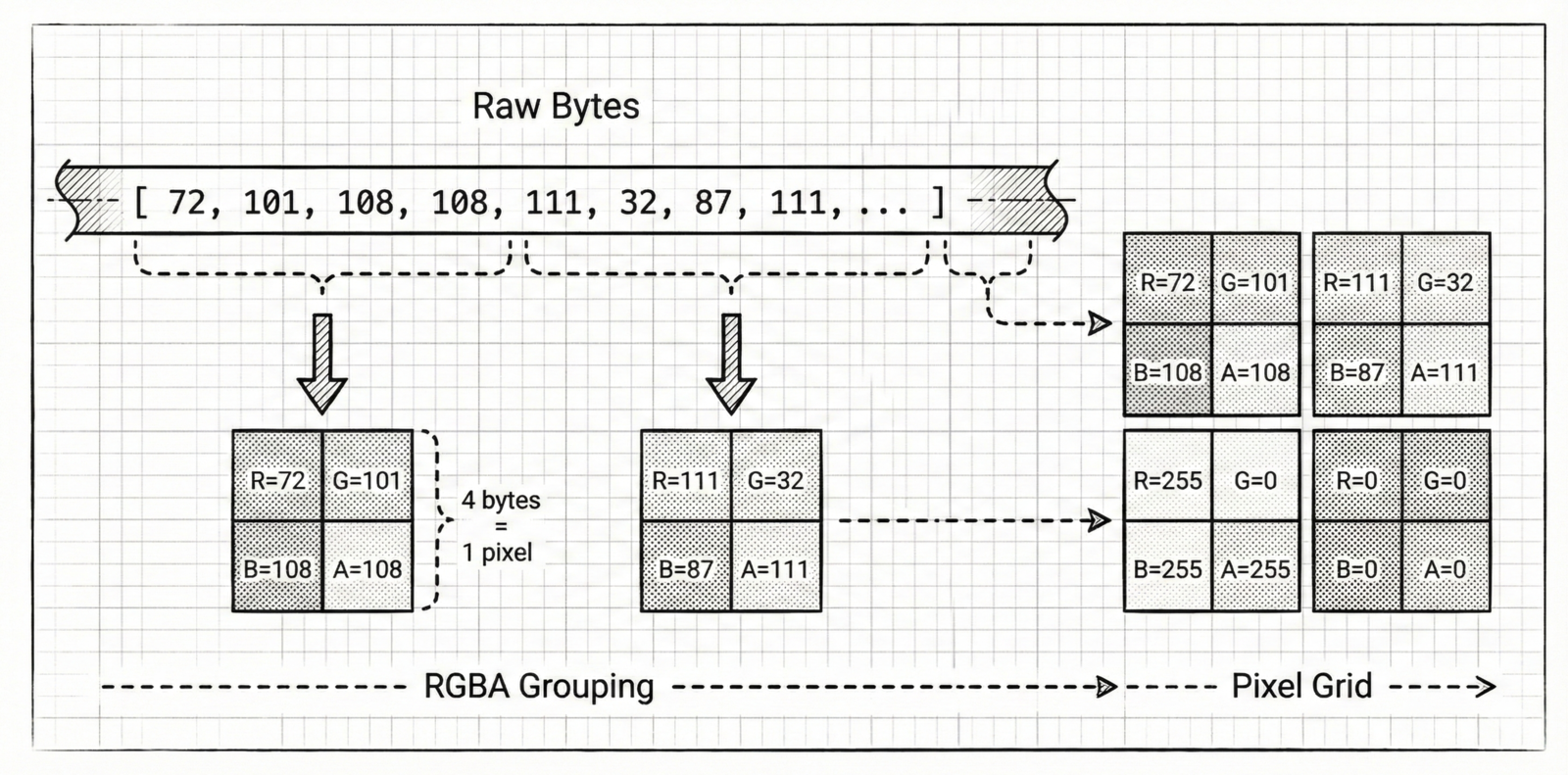
The core idea is deceptively simple. Take your file’s raw bytes and group them into fours. Each group of four bytes maps directly to one pixel’s RGBA channels, the first byte becomes red, the second green, the third blue, the fourth alpha.
These pixels are then arranged into a square grid, sized just large enough to hold every pixel. If the byte count isn’t perfectly divisible by four, Obfuscate pads the remainder with zeros. The grid is saved as a standard PNG, losslessly preserving every value.
The Safety Net
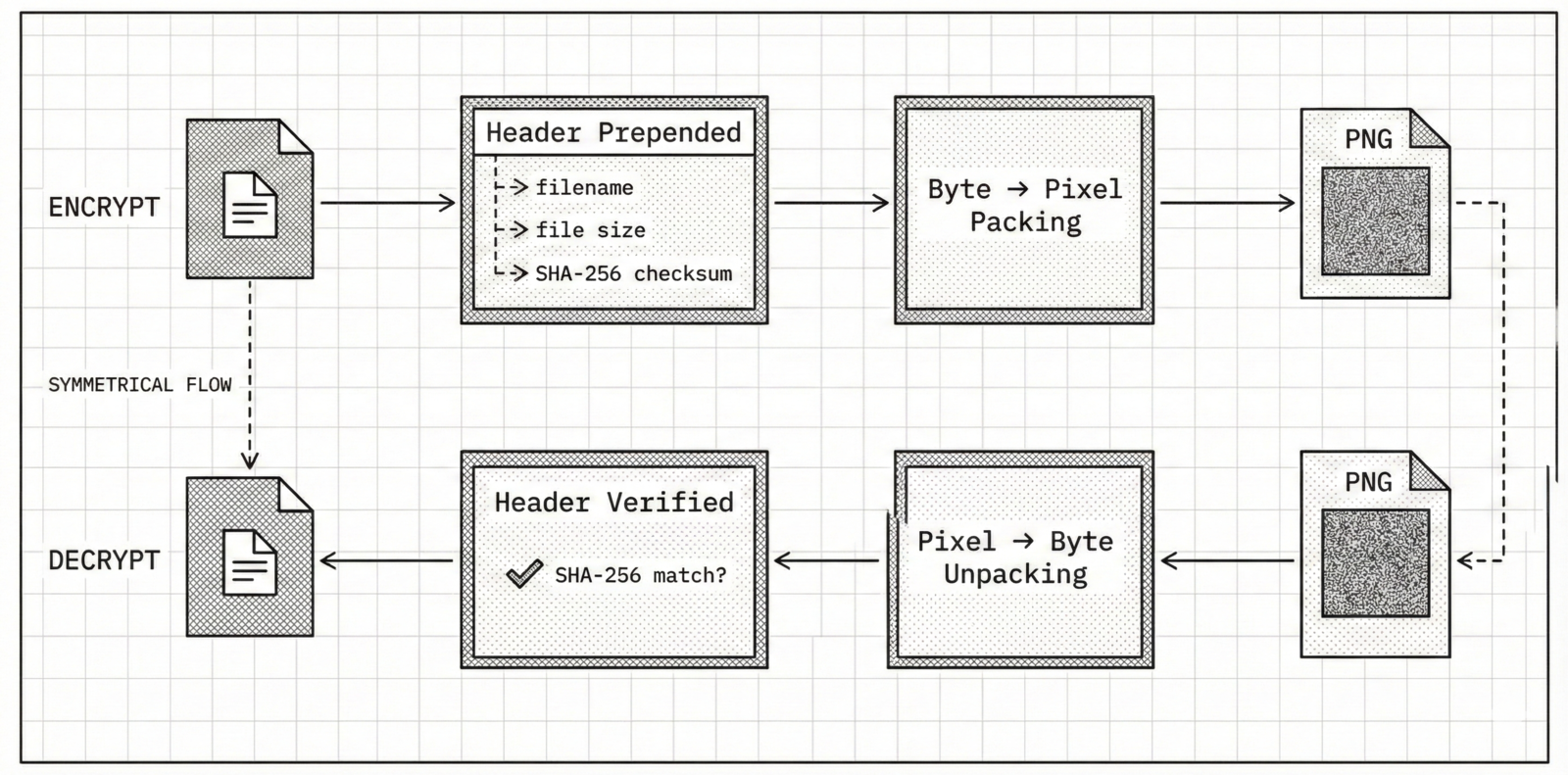
Before packing bytes into pixels, Obfuscate prepends a small header to the byte stream. This header carries three pieces of information: the original filename, the exact file size in bytes, and a SHA-256 fingerprint of the entire file.
On decryption, the process runs in reverse. Obfuscate reads pixels back into bytes, peels off the header, and reassembles your file. It then recalculates the SHA-256 hash and compares it against the stored one. If even a single byte was altered by compression, corruption, or tampering you’ll know immediately.
Two Processing Paths
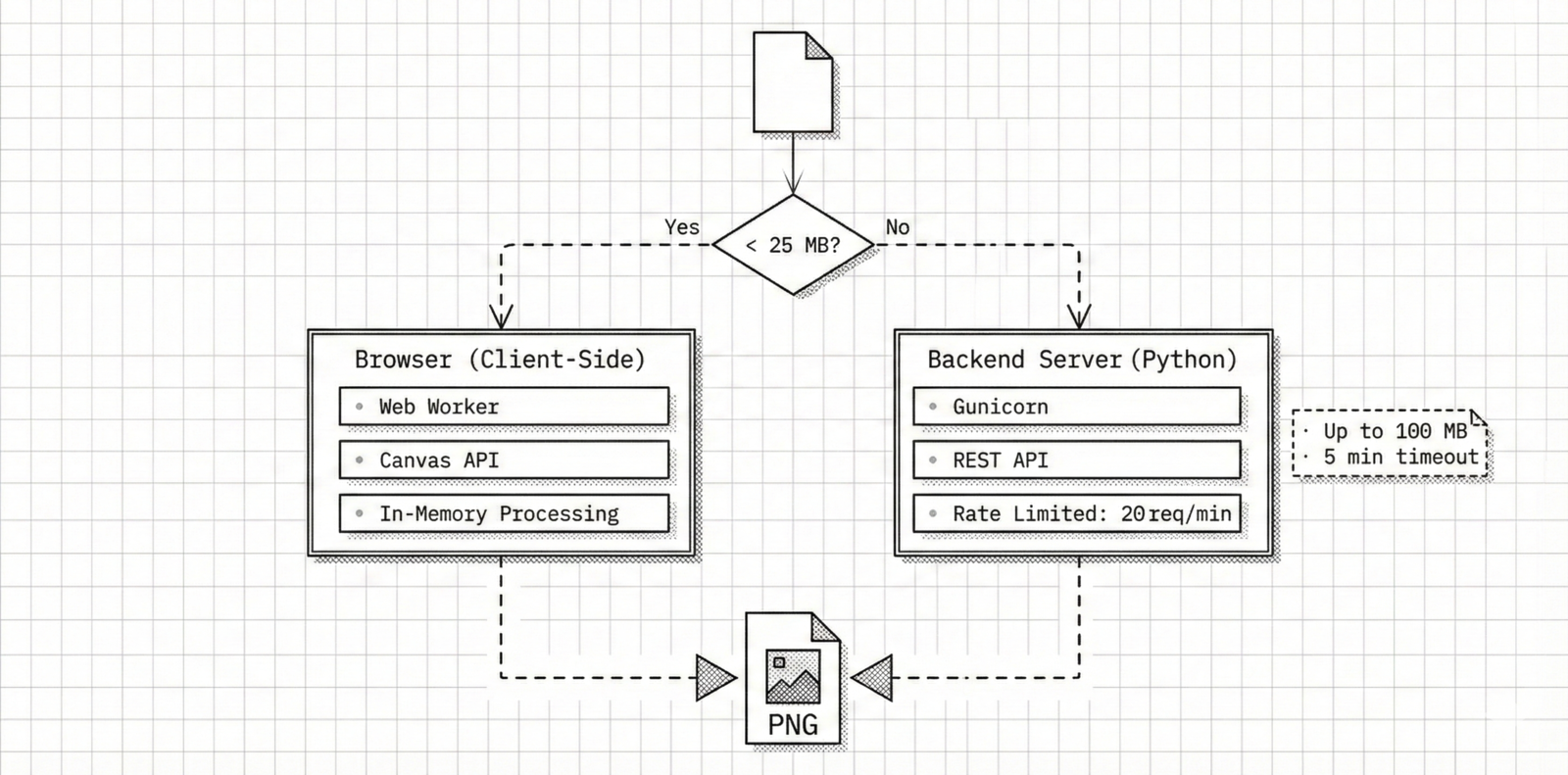
Small files anything under 25 megabytes are processed entirely in the browser. No network requests, no server round-trips. Your data stays on your machine, handled by client-side JavaScript using the Canvas API and in-memory buffers.
Larger files, up to 100 megabytes, are sent to a Python backend for processing. Encoding a 100 MB file into a PNG requires creating a massive pixel grid and compressing it's CPU intensive work that can take several minutes. The server enforces a rate limit of 20 requests per minute per IP to keep things fair.